

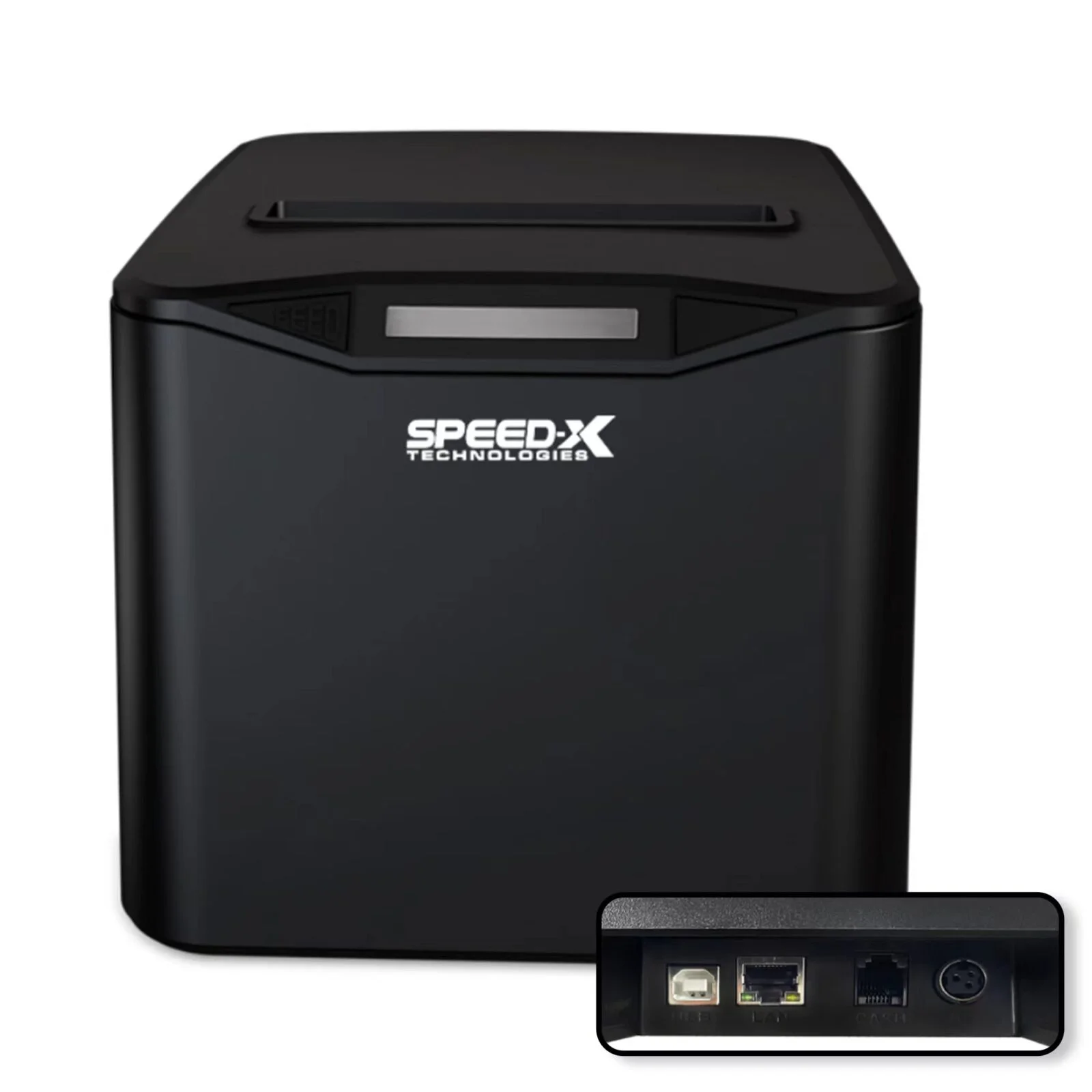
Description
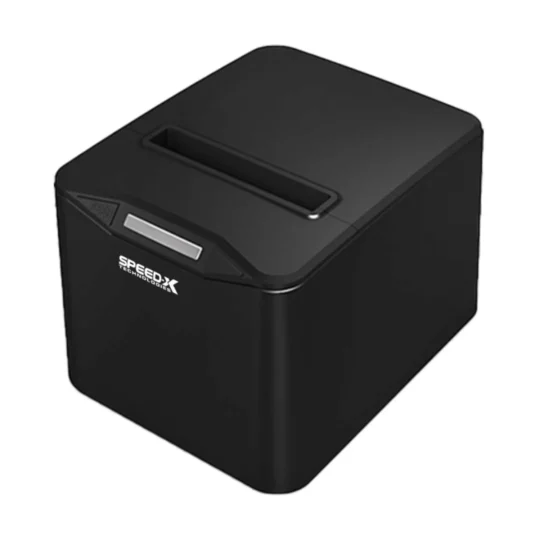
Transform Your Business with Speed-X SP-210UL Network Thermal Printer
Elevate your retail, restaurant, or business operations with the Speed-X SP-210UL 80mm Thermal Receipt Printer USB+LAN Black – the ultimate networked printing solution for modern businesses. Designed for retailers, restaurants, multi-location businesses, and enterprises who demand fast, flexible, and professional networked receipt printing.
Why Choose Speed-X SP-210UL Network Thermal Printer?
The Speed-X SP-210UL isn’t just another receipt printer – it’s your complete networking solution. Combining high-speed thermal printing, dual USB+LAN connectivity, and enterprise-grade reliability, this thermal receipt printer delivers professional networked performance that justifies every penny invested.
Key Features That Make SP-210UL Stand Out
Dual USB + LAN Connectivity
Maximum flexibility with both USB and Ethernet (LAN) network connectivity. Connect directly to a computer via USB or integrate into your network for shared printing across multiple stations and devices.
High-Speed 300mm/s Printing
Experience lightning-fast receipt printing at 300mm per second. Reduce customer wait times and process transactions faster during peak hours across all your networked stations.
Network-Ready for Multiple Stations
Connect the printer to your network and share it across multiple POS terminals, tablets, and computers simultaneously. Perfect for businesses with multiple checkout stations or departments.
Complete Networking Capabilities
- USB + LAN interfaces: Flexible connectivity options
- Network sharing: Multiple devices, one printer
- 300mm/s print speed: Lightning-fast processing
- 203 DPI resolution: Crystal-clear receipts
- Auto-cutter included: Professional cuts every time
80mm Paper Width Support
Standard 80mm (3.15 inches) paper width accommodates all receipt formats including itemized receipts, invoices, and tickets. Compatible with widely available thermal paper rolls.
Professional Auto-Cutter
Built-in automatic paper cutter delivers clean, precise cuts after each receipt. No manual tearing required – just professional-looking receipts that enhance your business image.
Enterprise-Grade Reliability
Built to withstand high-volume networked environments. The robust thermal print head and network chipset are rated for continuous operation in demanding business settings.
Easy Network Configuration
Simple web-based configuration interface allows easy network setup and management. Set IP addresses, monitor printer status, and manage settings from any networked computer.
Benefits of Network Thermal Printing
Share One Printer Across Multiple Stations
Eliminate the need for individual printers at each station. One SP-210UL can serve multiple POS terminals, tablets, and computers, significantly reducing equipment costs.
Increase Business Flexibility
Add new POS stations or devices without additional printer purchases. Network connectivity allows unlimited devices to access the printer through your LAN.
Centralize Receipt Printing
Position the printer in an optimal location accessible to all staff. Network printing eliminates cable length limitations and allows strategic printer placement.
Reduce Maintenance Costs
Maintain and service one networked printer instead of multiple individual printers. Reduced hardware count means lower maintenance expenses and simpler inventory management.
Perfect for Every Business
Multi-Station Retail Stores
Connect multiple checkout counters to a single networked printer. The thermal receipt printer handles high-volume retail traffic efficiently while reducing hardware costs.
Restaurants with Kitchen & Counter Service
Print kitchen orders, customer receipts, and delivery tickets from any station. Network connectivity allows seamless coordination between front-of-house and back-of-house operations.
Hotels with Multiple Service Points
Share printing across front desk, restaurant, spa, and other hotel departments. Centralized printing simplifies operations and reduces equipment investment.
Warehouses & Distribution Centers
Print shipping labels, packing slips, and inventory receipts from multiple workstations. Network connectivity supports distributed printing across large facilities.
Healthcare Facilities
Share prescription labels, patient receipts, and medical documentation printing across departments. Network reliability ensures critical documents print when needed.
Multi-Location Businesses
Standardize on the SP-210UL across all locations for consistent performance and simplified support. Network features support centralized management and monitoring.
Complete Technical Specifications
| Specification | Details |
|---|---|
| Model | Speed-X SP-210UL |
| Color | Black |
| Print Method | Direct Thermal |
| Print Speed | 300mm/s (High-Speed) |
| Resolution | 203 DPI |
| Paper Width | 80mm (3.15 inches) |
| Interfaces | USB + Ethernet (LAN) |
| Network Protocol | TCP/IP |
| Auto-Cutter | Yes (Built-in) |
| Paper Diameter | Up to 83mm |
| Compatibility | Windows, Linux, Android, iOS |
| Driver Support | ESC/POS compatible |
| Network Features | Web configuration, DHCP, static IP |
What’s Inside the Box
Your Speed-X SP-210UL package includes everything for networked operation:
✅ 1x Speed-X SP-210UL Thermal Printer (USB+LAN)
✅ 1x USB Cable
✅ 1x Ethernet (LAN) Cable
✅ 1x Power Adapter
✅ 1x Sample Thermal Paper Roll
✅ CD with Drivers & Network Tools
✅ Quick Start Guide
✅ Network Setup Manual
✅ Warranty Card
Simple 3-Step Setup Process
Step 1: Connect Power and Network
Plug the power adapter into the printer and connect the Ethernet cable to your network switch or router. The printer automatically obtains an IP address via DHCP.
Step 2: Install Network Driver
Install the network printer driver on each computer or POS terminal that needs access. The ESC/POS driver ensures compatibility with all major POS software systems.
Step 3: Configure and Test
Access the printer’s web interface to verify network settings. Print a test receipt from each networked device – you’re ready for multi-station operation!
Total Setup Time: 10-15 minutes for network configuration
Advanced Features You’ll Love
Web-Based Configuration Interface
Manage printer settings from any web browser on your network. No special software required – configure IP addresses, monitor status, and update firmware remotely.
DHCP and Static IP Support
Choose automatic IP addressing via DHCP for plug-and-play simplicity, or configure static IP addresses for permanent network assignments in enterprise environments.
Multiple Device Support
Connect unlimited devices to the network printer simultaneously. Process multiple print jobs in queue without conflicts or bottlenecks.
Remote Monitoring
Check printer status, paper level, and error conditions from any networked computer. Proactive monitoring prevents downtime during busy periods.
Why SP-210UL Beats the Competition
True Dual Connectivity
While competitors offer LAN as an expensive add-on, the SP-210UL includes both USB and Ethernet connectivity as standard features at an affordable price.
Enterprise Network Features
Budget network printers lack proper TCP/IP implementation. The SP-210UL features full networking capability with web configuration and remote management.
Superior Network Stability
Cheap network printers suffer from connectivity issues and dropped jobs. The SP-210UL’s enterprise-grade network chipset ensures rock-solid reliability.
Better Value Than Separate Printers
One SP-210UL costs less than multiple USB-only printers while delivering better functionality and easier management across your business.
Professional Network Support
Full TCP/IP implementation works seamlessly with enterprise networks, VLANs, and managed switches – not just simple home routers.
Frequently Asked Questions
Q: Can I use both USB and LAN simultaneously?
A: Yes! You can connect one device via USB while others access the printer through the network simultaneously.
Q: How many devices can connect to the network printer?
A: Unlimited! Any device on your network can send print jobs to the SP-210UL. Print jobs queue automatically.
Q: Does it work with WiFi?
A: The SP-210UL connects via Ethernet cable. For WiFi, connect it to a WiFi-enabled router or access point on your network.
Q: Can I assign a static IP address?
A: Yes! Use the web configuration interface to set static IP addresses for consistent network addressing in business environments.
Q: What if my network goes down?
A: You can still use the USB connection as a backup. The dual interface ensures printing capability even during network issues.
Q: Does it work with cloud-based POS systems?
A: Yes! Modern cloud POS systems support network printers. The ESC/POS compatibility ensures broad software support.
Q: Can I monitor printer status remotely?
A: Yes! Access the web interface from any networked computer to check status, paper level, and print statistics.
Q: Is network setup complicated?
A: No! Simply connect the Ethernet cable and the printer obtains an IP address automatically. Advanced users can configure custom network settings.
Care and Maintenance
Keeping Your SP-210UL in Peak Condition
Regular Cleaning: Clean the print head monthly with isopropyl alcohol cleaning cards to maintain print quality and network performance.
Network Checks: Verify network connectivity monthly. Ensure Ethernet cables are secure and network settings remain correct.
Firmware Updates: Check for firmware updates periodically through the web interface to ensure optimal network performance and security.
Cable Management: Use quality Ethernet cables and avoid cable damage. Damaged network cables cause intermittent connectivity issues.
Maximize Your Business Efficiency Today
The Numbers Don’t Lie
- 60% cost savings using one networked printer vs. multiple individual printers
- Zero cable length limitations with network connectivity
- Unlimited devices can access one networked printer
- 50% reduction in maintenance complexity with centralized printing
Investment in Network Efficiency
At just Rs. 7,900, the SP-210UL thermal receipt printer delivers enterprise networking features that save thousands in equipment costs across multi-station businesses.
Customer Satisfaction Commitment
We stand behind the Speed-X SP-210UL with comprehensive warranty and network support. Encounter any issues? Our technical support team specializes in network printer troubleshooting.
Order Your Speed-X SP-210UL Today
Don’t let multiple printers and cable limitations hold back your business. Join successful businesses using the Speed-X SP-210UL for flexible, reliable networked receipt printing.
What You Get:
✅ Dual USB + LAN connectivity
✅ Network sharing capability
✅ High-speed 300mm/s printing
✅ Web-based configuration
✅ Professional auto-cutter
✅ Enterprise-grade reliability
✅ Multi-device support
Your business deserves network flexibility. Your team deserves simplicity. Choose Speed-X SP-210UL.
Technical Support & Resources
Need help getting started? We offer:
- Network setup assistance
- Driver downloads and updates
- Email and phone support
- Network troubleshooting guides
- POS integration assistance
Warranty & Service
The Speed-X SP-210UL includes manufacturer warranty covering defects in materials and workmanship. Professional service centers ensure quick turnaround with network expertise.
Upgrade your network. Upgrade your efficiency. Upgrade to Speed-X SP-210UL.


Reviews
There are no reviews yet.